
PBS RENO PASSPORT
PBS Reno Passport is a member benefit that gives qualifying supporters access to a library of on-demand PBS programs, including dramas, documentaries, and local favorites.
With PBS Passport, you can stream past seasons of favorite shows like NOVA and Wild Nevada, enjoy select new series and early access to MASTERPIECE releases, and watch your favorite programs anytime on the device that works best for you.
Getting Started with PBS Reno Passport
There are some critical steps to get you all set up to watch your favorite Masterpiece show on demand.
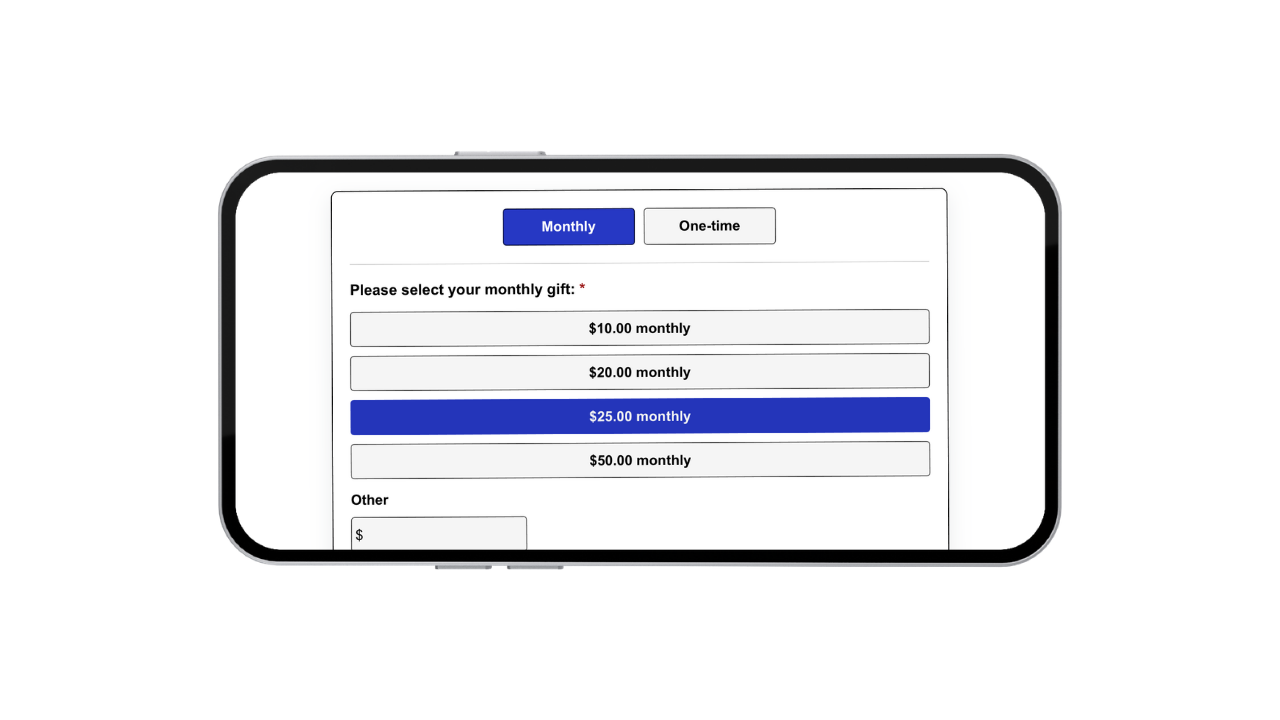
Become A Member
Make a monthly or one-time qualifying sustaining donation to receive PBS Reno Passport access. Donate here.
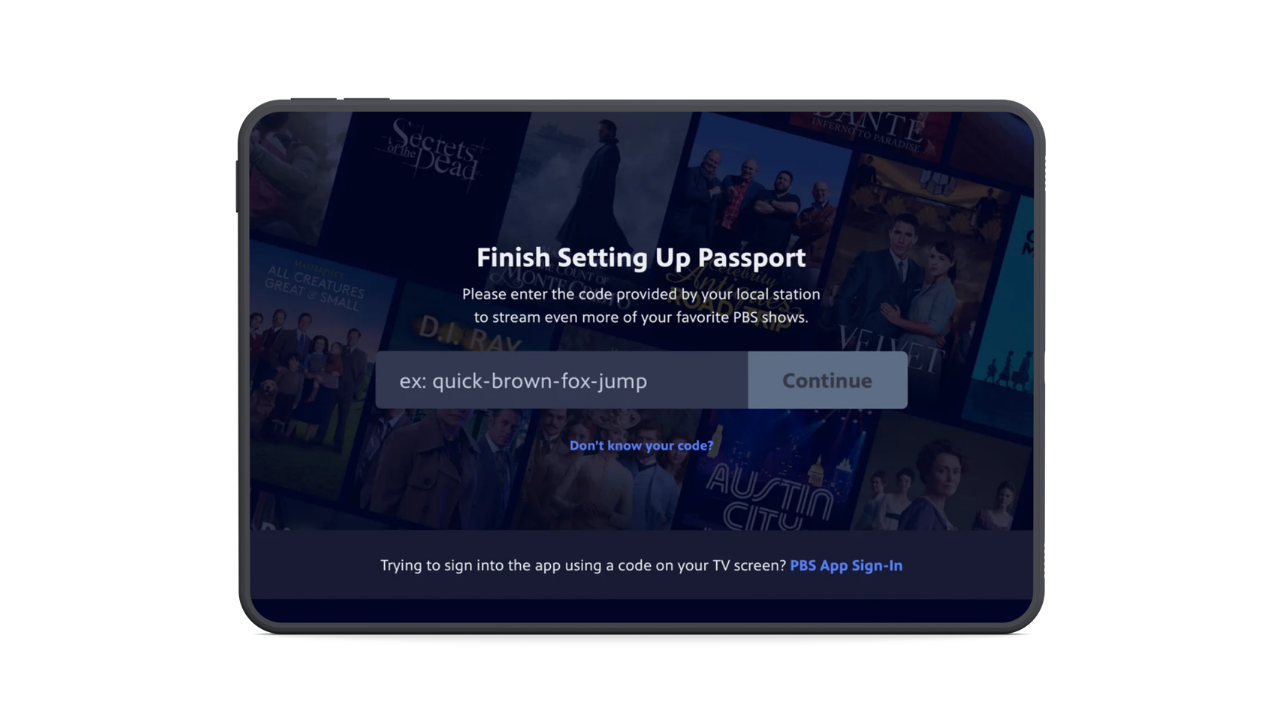
Finish Setting Up Passport
After your donation, you’ll receive an email with an activation link or a one-time 4-word code to activate on psb.org/passport
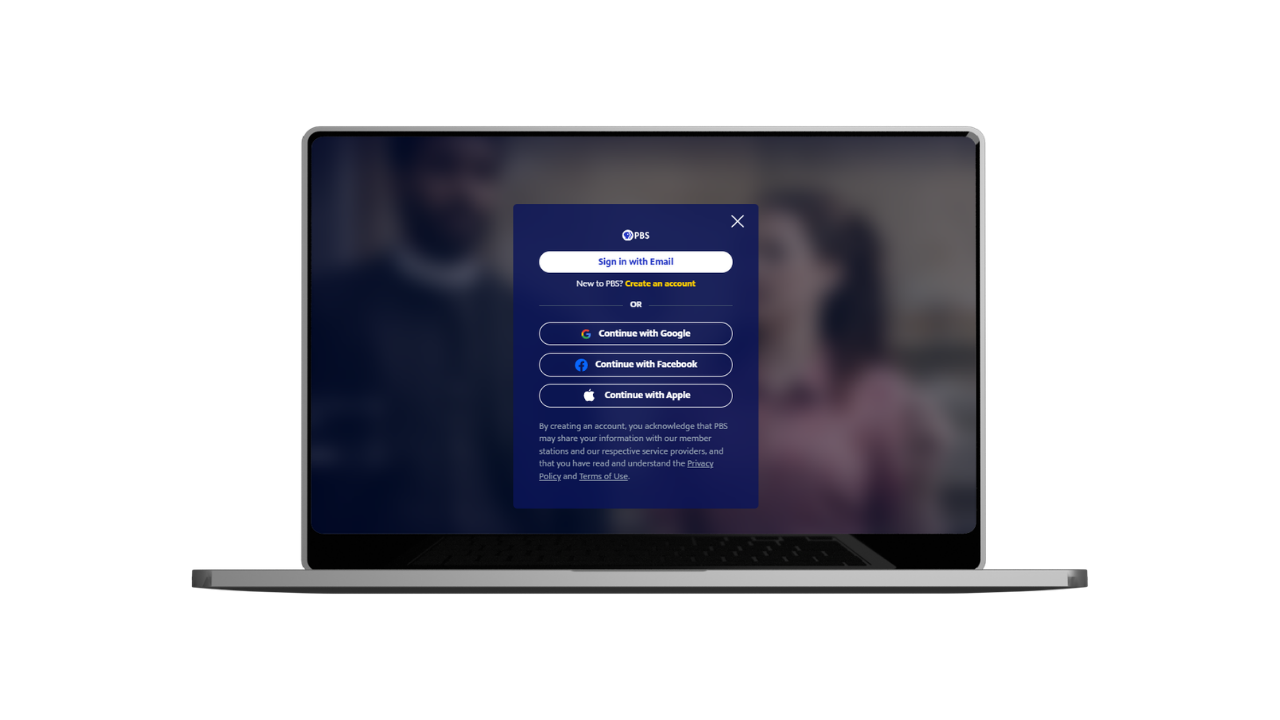
Sign In on Your Device
Sign in with your PBS Passport account on pbs.org in your computer browser or the PBS app on your phone, tablet, or TV.

Start Watching
Once signed in, access the PBS app on your TV, phone, or tablet anytime to enjoy your favorite shows on demand.
Already a Member?
You may already have Passport access waiting for you. Check your email for an activation link, or start here: pbs.org/passport/lookup/
PBS Reno Passport Troubleshooting & Help
Didn’t receive your activation email?
- Check your spam or junk folder.
- Wait up to 24 hours after donating
- Try the Passport lookup tool to resend your email
Having trouble with your activation code?
- Your code is 4 simple words separated by dashes
(example: apple-house-river-sleep) - Enter it exactly as shown (including dashes)
- This is a one-time code; you only need it once to activate.
Sign-in isn’t working?
- Make sure you’re using the same email you donated with
- Double-check for typos in your email address
- Try signing in again or resetting your password
Setting up on your TV?
- Find the PBS Passport App on the Apps list on your TV's App Menu
- You may need a second device (phone, tablet, or computer)
- Your TV will show an alphanumeric code
- On your second device, visit pbs.org/activate and enter the code
- Keep the TV screen open while you enter the code
I am still getting prompted to donate
- Your payment for Passport is not linked to the account associated with the email address
- Your account status might have lapsed, and you might need to donate again
- Confirm you are using the correct login credentials
- You might not have activated Passport with the 4 simple words code
How do I know if I am signed in?
- You will see your initials in a circle with a star next to it
- It should say PBS Reno next to it; if not, it will not work
- If it says something else, hover over the station ID to change
- Select PBS Reno as your station
I still need help...
If you still need help, contact PBS Reno at 775-600-0555 or email membership@pbsreno.org. We're happy to walk you through it.